 Recover MCU R5F562T6DDFF Program: Every Delay Loop Is a Statement About a Clock You Cannot Read
 April 6th, 2010 |
  Author:
 There is a class of question a recovered image answers perfectly and a class it cannot answer at all, and clock frequency is in the second class. The image says which oscillator the code selects, how it programs the PLL, and how long it waits for stability. It does not say what the crystal on the board is, because that component is not in the flash.
This matters more on a hundred-megahertz motor-control part than on a small controller, because the ratio between the crystal and the core clock is large and programmable, and because a design that gets its timing wrong does not fail cleanly — it runs, and the motor turns at the wrong speed, and the current loop oscillates at a frequency nobody chose.
R5F562T6DDFF#V1 is an RX62T group device: thirty-two-bit core with an FPU, two twelve-bit converter units, a six-channel motor timer, and an output-enable block that can shut the inverter down in hardware when the core stops responding.
The clock tree, and what the code decides
| stage | options on this group | decided by |
|---|---|---|
| primary source | external crystal, or the high-speed on-chip oscillator | the initialisation sequence |
| secondary source | a low-speed on-chip oscillator, and a sub-clock input for timekeeping | the peripheral configuration |
| multiplication | a PLL with a programmable divider and multiplier | two register writes in the startup path |
| distribution | separate dividers for core, bus and peripherals | the same startup path |
Four fields, three register writes, and one physical component that is not in the image. That is the whole problem in one line.
The code will tell you which source it selected and what it programmed the PLL to. It will not tell you the crystal’s frequency, because the code does not know it either — the divider and multiplier are integer values chosen by whoever wrote the design, and the resulting frequency is a product of those values and a number that exists only on the schematic.
Reconstructing the tree
The startup sequence is short and stereotyped, and reading it in order produces the tree.
First comes the oscillator selection: which source is enabled, and whether the design waits for a stability flag before proceeding. A design that waits is a design with a crystal, because an on-chip oscillator does not need to be waited for. That single observation separates the two cases on most units.
Second comes the PLL programming: a divider on the input and a multiplier, written as plain integers. Those integers are the only hard evidence about the external component.
Third comes the distribution: the core divider, the bus divider and the peripheral divider. These are what turn one clock into three, and they explain why a peripheral register value in the code looks wrong when divided by the core frequency instead of the peripheral one.
Fourth comes the peripheral configuration, which on this part is dominated by timers. A motor-control design configures a carrier frequency, a dead time, and one or two converter trigger points. Every one of those numbers was chosen as a number of clock cycles, and every one of them is meaningless without the clock.
Where the timing constants hide
Five places, and a recovery that does not annotate them has delivered a program that nobody can safely modify.
Serial divisors. A baud rate register value encodes the ratio between the peripheral clock and the bit rate. Two designs at different clocks produce different divisors for the same baud rate, which means the divisor is evidence, not noise.
Converter timing. A sampling time expressed in cycles produces a sample rate in microseconds only once the clock is known. On a current-sense input, that number is a stability margin.
Pulse-width periods. A motor timer’s period register sets the carrier frequency. A customer who changes it without knowing the clock will either hear the motor or destroy the bridge.
Delay loops. A counted loop used for a microsecond-scale wait is calibrated in cycles, and it is the classic place where a rebuild at a different clock runs at the wrong speed.
Watchdog periods. The watchdog configuration is in the option bytes but the timeout is a clock count, and a watchdog that fires at the wrong interval under load looks exactly like a firmware bug.
Why the same image on another board runs wrong
A replacement built from a recovered image is only a replacement if the board provides the same clock. On a product with several hardware revisions this is a real risk, because a later revision may have replaced a crystal with the on-chip oscillator to save a component, and the code was changed to match.
The failure mode is specific and it is not a crash. The unit boots, runs, and behaves plausibly, and then the serial protocol it uses to talk to the rest of the machine produces framing errors at some temperatures, or the current loop becomes unstable above a certain load. Those symptoms are attributed to the recovery, and the actual cause is a clock statement that was never written down.
What belongs in the delivery
Three items, and each one closes a different hole.
The reconstructed tree: source, PLL settings, and the resulting core, bus and peripheral frequencies, stated as numbers.
The assumption about the external component, stated explicitly as an assumption where it could not be verified from the part.
And a list of the annotated timing constants, in the listing, at the places where they appear — because a note in the covering letter is read once, and a comment next to the instruction is read every time somebody changes it.
For the rebuild that has to reproduce these constants exactly, R5F562T6BDFF software covers the project reconstruction. For the configuration bytes that set the watchdog period, R5F562TABDFF program deals with the option area. And for a device where the clock is chosen at order time rather than in software, PIC16C57C firmware is the opposite extreme.
FAQ
Can the crystal frequency be determined from the image alone? No. The image contains integer divider and multiplier values, and the product of those with an unknown input is an unknown output.
Does an on-chip oscillator remove the problem? It removes the external component, not the problem. The code still assumes a frequency, and the option bytes may select a different one from the one the code expects.
Is a timing error always visible? Rarely. It usually appears as a marginal behaviour under load or temperature, which is why the annotation matters more than the diagnosis.
The short version
The image states the clock’s shape and never its size. Read the startup sequence to recover the tree, treat the external component as an assumption, annotate every constant that depends on it, and say in the delivery which frequencies the code assumes. That paragraph is the cheapest insurance in the whole engagement.
ATmega861P: When the Hex File Contains EEPROM Too
The hex format records addresses and bytes. It has no field for which memory those addresses belong to, because the format predates microcontrollers with several arrays. Toolchains solved this by convention: put the EEPROM at an address range far away from the flash, and let the reader know the convention.
The convention is not universal, and a file produced by one tool and read by another can appear to contain a block of data at an impossible address. That block is usually the EEPROM, and recognising it prevents a great deal of confusion.
The usual conventions
| Convention | EEPROM address | Used by |
|---|---|---|
| Offset far above flash | a high block, often starting at a round boundary | Several common toolchains |
| Separate file | not in the hex at all | Others |
| Tagged by record type | vendor-specific | A few |
Because the first and second are both common, two hex files of the same device can differ substantially in size while describing identical memories. A file that is twice as large is not necessarily twice the data.
The practical rule: check the highest address in the file. If it is far above the flash size, the file contains more than flash.
Why this matters for a read
If a device is read with a tool that writes flash and EEPROM into one file, and that file is then compared against a reference that contains only flash, the comparison reports a large difference. The difference is not content; it is containment.
Worse, if the extra block is disassembled as code, it produces nonsense that looks like encrypted data. That is a common and expensive misreading, and it is resolved by looking at the addresses rather than at the bytes.
Reading the two arrays separately
For analysis, keeping them separate is cleaner regardless of what the tool does:
- Read the flash array over its own address range, verify page by page.
- Read the EEPROM as a distinct operation with its own starting address.
- Record each with its own size and checksum.
- If a combined file is required for a toolchain, generate it from the two verified artefacts.
Step 4 is where mistakes enter, because a combined file hides which bytes came from where. Generating it at the end, from two known-good inputs, keeps the provenance intact.
What the EEPROM block usually holds
On a part used for control, the EEPROM typically contains:
- Calibration values written at production.
- A serial number or a hardware revision code.
- A usage counter or a last-state record.
- Configuration that a service tool can change.
The fourth category is the interesting one, because it means the EEPROM is writable in the field and its contents at the time of reading reflect what happened to the device rather than what it shipped with.
That distinction matters when the contents look wrong. A blank calibration region may mean the device was never calibrated or that a service operation cleared it, and the two have different implications for a reproduction.
Why the P suffix is incidental here
The picoPower die changes current consumption and the oscillator, not the file format. It does, however, change the erase behaviour at low supply, which is why the EEPROM should be read before any erase and recorded immediately.
If an erase is part of the plan, the fuse byte decides whether the EEPROM survives it. Reading EESAVE before the erase is the difference between recovering the calibration data and discovering, afterwards, that it is gone.
Related notes
- ATmega261PA and pin drive — the same family from the electrical side.
- ATtiny861 and address spaces — why the three arrays are addressed differently.
- ATmega640P and complete hex files — what a hex is expected to contain.
FAQ
Does every hex file contain the EEPROM? No. Many toolchains write it to a separate file.
How can I tell? Look at the highest address. A block far above the flash size is the other array.
Can the EEPROM be read without an erase? Only if the lock bits permit it. In mode 2 or 3 the read is refused.
Why keep the arrays separate? Because a combined file hides provenance, and provenance is what makes an artefact usable later.
Conclusion
A hex file is a container with a convention, not a definition. The EEPROM may be inside it at a distant address or absent entirely, and telling the two apart is a matter of reading the highest address rather than the contents. Keeping the arrays separate until the end preserves the provenance that makes a recovery defensible.
 Posted in Recover Chip |
  Tags: recover microcontroller archive, recover microcontroller binary, recover microcontroller code, recover microcontroller content, recover microcontroller data, recover microcontroller eeprom, recover microcontroller file, recover microcontroller firmware, recover microcontroller heximal, recover microcontroller information, recover microcontroller memory, recover microcontroller program |
  Comments Closed
Recover Chip R5F562T6BDFF Software: A Listing Is Not a Project, and the Difference Is Buildable
A disassembly is a description of bytes. A project is a set of inputs that produces those bytes. The gap between them is where most software-level recoveries quietly fail, because a listing can be delivered in a week and a project can take a month, and the customer cannot tell which one they received until they try to change something.
The proof that a project is real is simple and unforgiving: rebuild it and compare the output against the original image. If the bytes match, the reconstruction is not an approximation, it is an equivalent. If they do not, the difference tells you exactly what is still missing.
R5F562T6BDFF#V1 is an RX62T group part — thirty-two-bit core with a single-precision FPU, two twelve-bit converter units, motor-control timer set. The version suffix after the hash identifies a shipping configuration, so nothing about the software work depends on it.
Four things a project needs
| artefact | what the image supplies | what has to be reconstructed |
|---|---|---|
| startup code | the instructions at the reset address | the source that generates them, including stack setup and memory initialisation |
| linker script | the placement of every section | the region definitions and the order that reproduces it |
| section placement | visible as address ranges | which source-level construct produced each range |
| vector definitions | the table contents | the names and the source-level declarations |
Every row is the same shape: the image answers what, and the project needs how.
The startup code is the most tractable. On this architecture it runs from the reset vector, sets up the stack pointer, initialises memory, configures the clock, and branches to main. Because it is the first code executed, it is also the best-preserved region of any image — nothing has overwritten it and nothing has optimised it away.
The linker script is the most informative. It describes the memory map the design assumed: where code goes, where constants go, where the stack lives, how large the heap is if there is one. On a recovered design it is reconstructed from the section boundaries in the image, and those boundaries are visible as abrupt changes in content.
Reconstructing the startup path
Start at the reset vector at the top of the map, follow the branch, and read forward until the first branch to an address that is called from nowhere else. That region is the startup code, and its structure is highly stereotyped.
Four stages appear in order on almost every design: stack and memory setup, clock configuration, peripheral configuration that must precede main, and the call to main. The clock configuration is the one that reveals the most, because it names the oscillator source the board provides and the frequency the PLL produces. On a part with two on-chip oscillators, an external crystal input and a sub-clock input, there are several legal combinations and the code states which one it expects.
That single sequence is worth extracting carefully, because it is the only place in the image where the design’s clock is written down.
The linker script is a description of the design
Section boundaries are visible in a recovered image as changes in the character of the bytes: code disassembles and has structure, constant tables look like regular data, strings are readable, and erased space is uniform.
Mapping those boundaries back into a linker script is mechanical once they are identified, and the result is genuinely useful to a customer, because it documents how the original project was organised. A design with a large constant table at a fixed address had a reason for putting it there, and the reason is usually a bootloader, a second-stage loader or a shared-memory protocol with another processor on the board.
That last case is worth flagging: a design with a shared memory region is a design where the recovered image is not the whole system.
The rebuild test
The test that turns an opinion into a fact has three steps.
Compile the reconstruction with a toolchain that can target this core, using an optimisation level that the code’s structure suggests. Link against the reconstructed script. Then compare the output against the original image, not by eye but by diff, and localise every mismatch.
Three outcomes are possible and each is informative. An exact match proves equivalence and ends the argument. A match with a handful of differences localises to specific constructs — usually an inline assembly block, a library routine the compiler generated differently, or a literal pool the linker placed at a different address. And a mismatch everywhere means the toolchain or the optimisation level is wrong, which is a setting problem rather than a reconstruction problem.
That third outcome is the most common first result and it is the reason this work is quoted by the week rather than by the file.
Where the process stalls
Four things stop a faithful rebuild, and they are worth naming because they are what makes an honest quotation possible.
The compiler version. Different versions of the same compiler emit different code for the same source, especially around loop optimisation and floating-point sequences. Without the original version, an exact match may be impossible and the deliverable becomes behaviourally equivalent rather than byte-identical.
The optimisation level. Related and equally invisible. The structure of the code usually reveals it — heavily unrolled loops and aggressive scheduling suggest a high level, straightforward code suggests none.
Inline assembly. A hand-written block has no source-level equivalent, and it has to be reproduced as-is. It is identifiable because it does not look like compiler output.
And library routines. A called routine that appears in many recovered images is usually a library, and it should be linked rather than reconstructed. Reconstructing it is wasted effort and it will not match anyway.
For the disassembly that precedes all of this, R5F562T7BDFF code covers boundaries and literal pools. For the clock statement the project has to carry, R5F562T6DDFF program recovery deals with timing. And for what a software-level engagement contains at the other end of the size range, R5F562T6ADFK software sets out the scope question.
FAQ
How can a rebuild be byte-identical without the original source? Because the compiler is a deterministic function of source, flags and version. Reproduce the inputs and the output follows, provided the source is behaviourally identical in the places the compiler can observe.
Does a byte-identical rebuild prove the source is the original? No. It proves the reconstruction produces the same machine code, which for maintenance purposes is the property that matters.
Is a behavioural match good enough? Usually, if it is stated. The difference matters when the customer needs to compare against a known-good image for regulatory or diagnostic reasons.
The short version
Four artefacts separate a listing from a project: startup code, linker script, section placement and vector definitions. Reconstruct them, then prove the reconstruction by rebuilding and diffing. Say in advance which outcome you can guarantee — byte-identical or behaviourally equivalent — because the difference is a week of work and the customer cannot see it from the outside.
Break MCU ATmega2560L Flash
Break MCU ATmega2560L Flash memory and crack microcontroller atmega2560L fuse bit, read embedded heximal code out from MCU ATmega2560L flash memory;
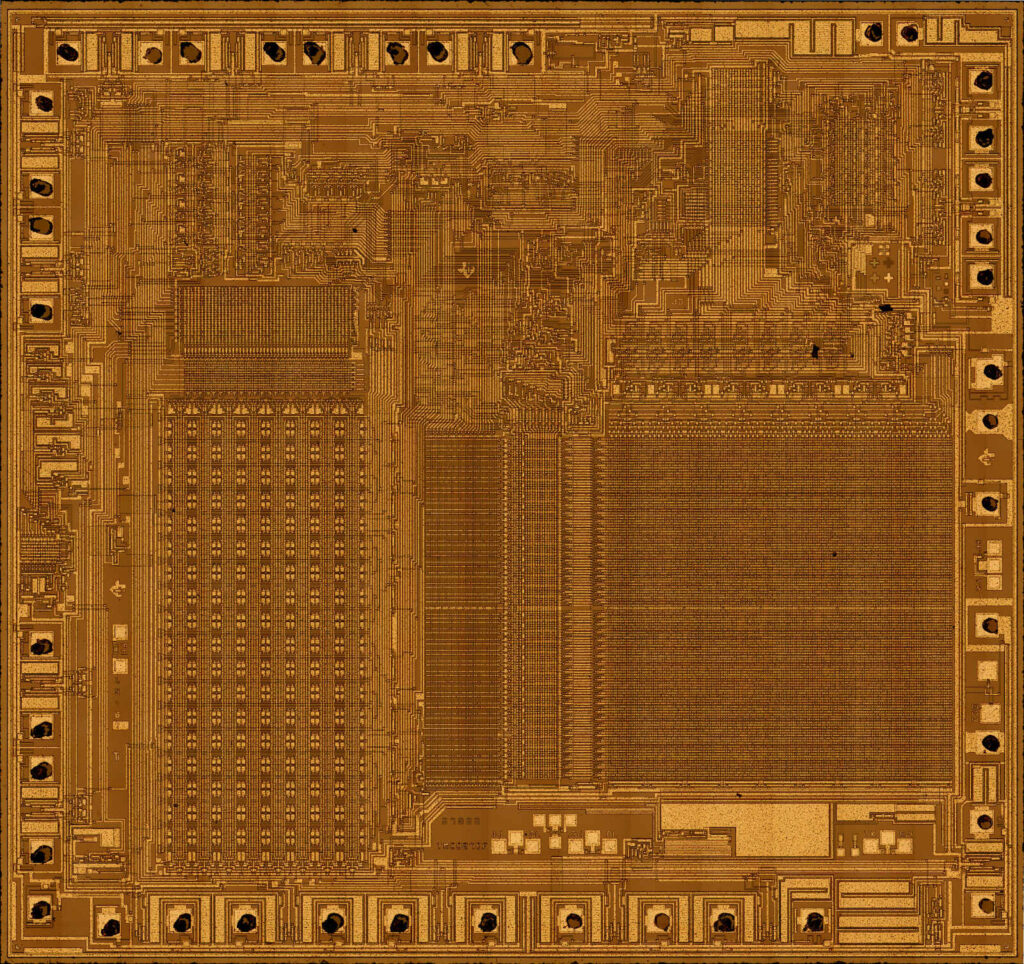
The Timer/Counter can be clocked by an internal synchronous or an external asynchronous clock source. The clock source clkT2 is by default equal to the MCU clock, clkI/O.
When the AS2 bit in the ASSR Register is written to logic one, the clock source is taken from the Timer/Counter Oscillator connected to TOSC1 and TOSC2. For details on asynchronous operation, see “Asynchronous Status Register – ASSR” on page 189 if recover pic16c554 MCU software.
For details on clock sources and prescaler, see “Timer/Counter Prescaler” on page 193. The main part of the 8-bit Timer/Counter is the programmable bi-directional counter unit.
Figure 68 shows a block diagram of the counter and its surrounding environment. Depending on the mode of operation used, the counter is cleared, incremented, or decremented at each timer clock (clkT2). clkT2 can be generated from an external or internal clock source, selected by the Clock Select bits (CS22:0) before recover pic16f83 Mcu flash.
When no clock source is selected (CS22:0 = 0) the timer is stopped. However, the TCNT2 value can be accessed by the CPU, regardless of whether clkT2 is present or not. A CPU write overrides (has priority over) all counter clear or count operations.
The counting sequence is determined by the setting of the WGM21 and WGM20 bits located in the Timer/Counter Control Register (TCCR2A) and the WGM22 located in the Timer/Counter Control Register B (TCCR2B).
There are close connections between how the counter behaves (counts) and how waveforms are generated on the Output Compare outputs OC2A and OC2B. For more details about advanced counting sequences and waveform generation, see “Modes of Operation” on page 178.
The Timer/Counter Overflow Flag (TOV2) is set according to the mode of operation selected by the WGM22:0 bits. TOV2 can be used for generating a CPU interrupt.
The 8-bit comparator continuously compares TCNT2 with the Output Compare Register (OCR2A and OCR2B). Whenever TCNT2 equals OCR2A or OCR2B, the comparator signals a match. A match will set the Output Compare Flag (OCF2A or OCF2B) at the next timer clock cycle.
If the corresponding interrupt is enabled, the Output Compare Flag generates an Output Compare interrupt. The Output Compare Flag is automatically cleared when the interrupt is executed.
Alternatively, the Output Compare Flag can be cleared by software by writing a logical one to its I/O bit location. The Waveform Generator uses the match signal to generate an output according to operating mode set by the WGM22:0 bits and Compare Output mode (COM2x1:0) bits. The max and bottom signals are used by the Waveform Generator for handling the special cases of the extreme values in some modes of operation (“Modes of Operation” on page 178). Figure 58 on page 154 shows a block diagram of the Output Compare unit.
Posted in Break IC |
Tags: break mcu archive, break mcu binary, break mcu code, break mcu content, break mcu data, break mcu eeprom, break mcu file, break mcu firmware, break mcu heximal, break mcu information, break mcu memory, break mcu program, break mcu software |
Comments Closed
Reverse Engineering Chip ATmega2560L Software
Reverse Engineering Chip ATmega2560L Software is actually a process to read encrypted heximal from mcu atmega2560L flash memory after crack microcontroller atmega2560L security fuse bit;
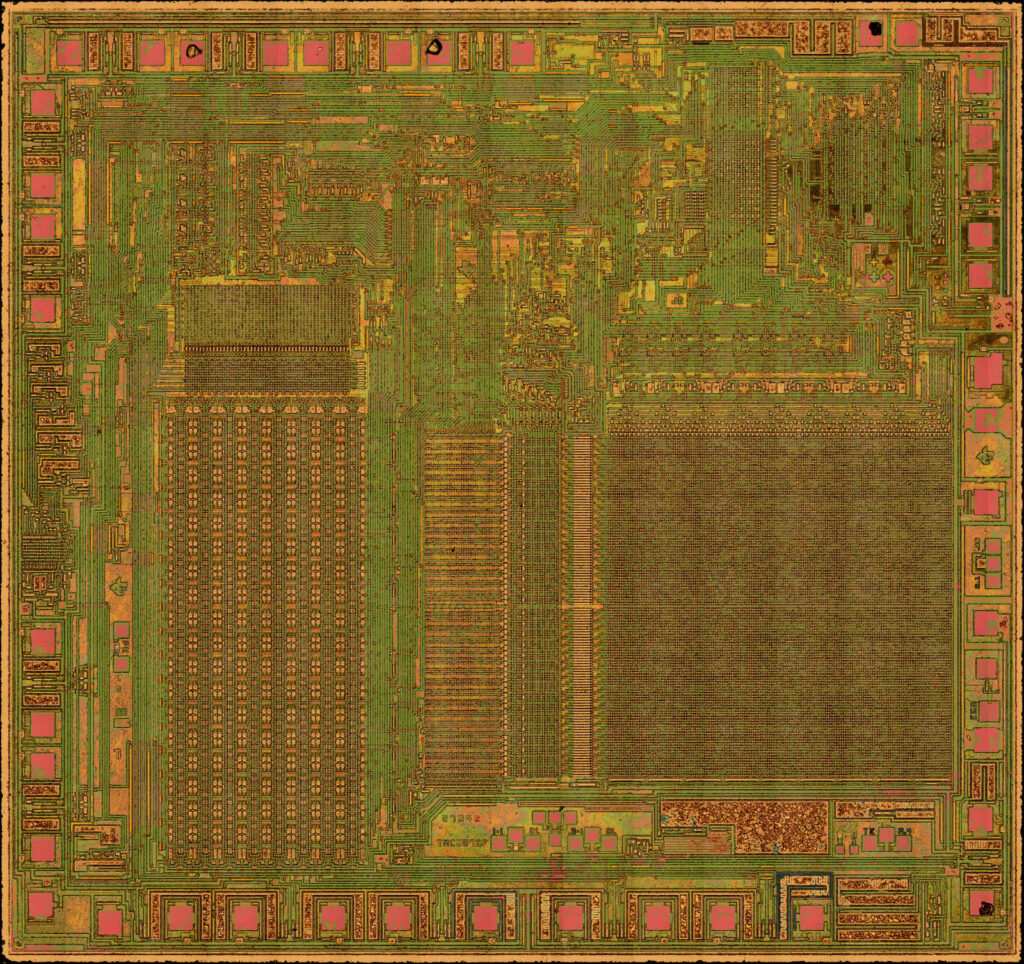
The Timer/Counter can be clocked by an internal synchronous or an external asynchronous clock source. The clock source clkT2 is by default equal to the MCU clock, clkI/O.
When the AS2 bit in the ASSR Register is written to logic one, the clock source is taken from the Timer/Counter Oscillator connected to TOSC1 and TOSC2. For details on asynchronous operation, see “Asynchronous Status Register – ASSR” on page 189 if attack attiny2313 mcu firmware.
For details on clock sources and prescaler, see “Timer/Counter Prescaler” on page 193. The main part of the 8-bit Timer/Counter is the programmable bi-directional counter unit.
Figure 68 shows a block diagram of the counter and its surrounding environment. Depending on the mode of operation used, the counter is cleared, incremented, or decremented at each timer clock (clkT2). clkT2 can be generated from an external or internal clock source, selected by the Clock Select bits (CS22:0) before attack atmega64l mcu flash.
When no clock source is selected (CS22:0 = 0) the timer is stopped. However, the TCNT2 value can be accessed by the CPU, regardless of whether clkT2 is present or not. A CPU write overrides (has priority over) all counter clear or count operations.
The counting sequence is determined by the setting of the WGM21 and WGM20 bits located in the Timer/Counter Control Register (TCCR2A) and the WGM22 located in the Timer/Counter Control Register B (TCCR2B).
There are close connections between how the counter behaves (counts) and how waveforms are generated on the Output Compare outputs OC2A and OC2B. For more details about advanced counting sequences and waveform generation, see “Modes of Operation” on page 178.
The Timer/Counter Overflow Flag (TOV2) is set according to the mode of operation selected by the WGM22:0 bits. TOV2 can be used for generating a CPU interrupt.
The 8-bit comparator continuously compares TCNT2 with the Output Compare Register (OCR2A and OCR2B). Whenever TCNT2 equals OCR2A or OCR2B, the comparator signals a match. A match will set the Output Compare Flag (OCF2A or OCF2B) at the next timer clock cycle.
If the corresponding interrupt is enabled, the Output Compare Flag generates an Output Compare interrupt. The Output Compare Flag is automatically cleared when the interrupt is executed.
Alternatively, the Output Compare Flag can be cleared by software by writing a logical one to its I/O bit location. The Waveform Generator uses the match signal to generate an output according to operating mode set by the WGM22:0 bits and Compare Output mode (COM2x1:0) bits.
The max and bottom signals are used by the Waveform Generator for handling the special cases of the extreme values in some modes of operation (“Modes of Operation” on page 178). Figure 58 on page 154 shows a block diagram of the Output Compare unit.
Posted in Recover MCU |
Tags: reverse engineering chip archive, reverse engineering chip binary, reverse engineering chip code, reverse engineering chip content, reverse engineering chip data, reverse engineering chip eeprom, reverse engineering chip file, reverse engineering chip firmware, reverse engineering chip heximal, reverse engineering chip information, reverse engineering chip memory, reverse engineering chip program |
Comments Closed
Recover MCU R5F562TABDFF Program: The Bundle Is the Deliverable, and Half of It Is Configuration
The word program is doing specific work in a request. It does not mean the code, and it does not mean the file. It means something a production line can act on: put this into a blank device and get a unit that behaves like the one that came out of it.
On an RX62T that requires four artefacts, and only one of them is the array. The other three live in the same flash or in the customer’s head, and the failure that follows from omitting them is not a failed burn — it is a unit that works, and then behaves differently from the original under a condition nobody tested.
R5F562TABDFF#V3 is one of the larger-memory order codes in the group, QFP-type package, with a version suffix that identifies a shipping configuration. Its peripheral set is the motor-control one: two twelve-bit converter units, a six-channel timer, a thirty-two-bit general timer, and the output-enable logic that makes an inverter safe when the core stops.
What the top of the map contains
| region | what it holds | why a rebuild needs it |
|---|---|---|
| reset vector | the initial program counter | without it the device does nothing |
| exception vectors | handlers for faults and interrupts | without them the first fault becomes a hang |
| option-setting memory | watchdog, protection, reset behaviour, clock supervision | without it the unit behaves differently under fault |
| the array proper | code and constants | the part customers think of as “the program” |
The third row is the one that gets skipped, and it is the one that decides whether a rebuilt unit survives a brown-out, a stuck loop or a watchdog reset the way the original did. It sits in the same flash, immediately below the vectors, and a full read returns it as ordinary data — which is precisely why it gets mistaken for part of the code and never examined.
What the configuration actually changes
Three fields do most of the work, and each has a symptom that appears weeks after delivery.
The watchdog configuration decides whether a watchdog runs, how long its period is, and whether it can be disabled by software. A rebuild with the watchdog off runs perfectly on a bench and fails in the field, because the original design’s fault recovery depended on the reset happening. This is the most common omission and the hardest to argue about after the fact.
The protection setting decides whether the programming interface will read the device at all. Copying it into a replacement reproduces the original’s behaviour exactly, including the part where the next recovery is harder. Leaving it off makes the replacement easier to service and different from the original. Both choices are defensible; making it by accident is not.
The reset and supervision settings decide how the device behaves while the supply is rising and falling. A design with a slow supply ramp and a conservative supervision threshold will start reliably; the same code on a rebuilt unit with a different threshold will occasionally not start at all, and the symptom will look like a firmware bug for as long as it takes somebody to compare the configuration bytes.
Why reading it first saves a session
There is a practical reason to read the option area before the array, beyond completeness.
It predicts whether the array will answer. A device whose protection state is set will complete the handshake and return a uniform value; knowing that in advance is the difference between diagnosing a protected device in a minute and diagnosing a dead fixture over an hour.
It also reveals the boot configuration. Some designs start into a loader rather than into the application, and a listing that assumes the reset vector points at the application will analyse the wrong code first.
And it records the clock supervision settings, which constrain the code: a design that supervises its oscillator will contain a startup sequence that waits for stability, and that sequence is a landmark for finding the beginning of the application.
What a burnable bundle contains
Four items, each of which answers a question the others cannot.
The full image with addresses, in the format the customer’s programmer accepts, including the top-of-map regions rather than stopping below them.
A configuration summary: protection state, watchdog behaviour, reset pin function, supervision thresholds — in words, with the raw values alongside so that a disagreement can be settled.
A clock statement. This is not in the flash at all: the design assumes a crystal or an internal oscillator at a specific frequency, and the code’s timing constants are meaningless without it. Two lines of text prevent a whole class of after-sales argument.
And a map: which address ranges are code, which are constant tables, which are the vectors, and which are configuration. A customer who receives four files without a map will eventually burn the wrong one into the wrong region.
The failure that follows from omitting the configuration
It is worth describing in one paragraph, because it is the reason this page exists.
A unit is rebuilt from a correct image with default configuration. It boots, it runs, it drives the motor, and it passes the functional test. Three months later, in a cabinet where the supply dips on a contactor closure, the original units reset and recover while the rebuilt ones latch into a state that requires a power cycle. Nothing in the code is different. The difference is a supervision threshold nobody copied, and finding it takes a comparison of two configuration dumps that nobody kept.
That is the entire argument for treating the option area as part of the program rather than as an implementation detail.
For the flash read that produces the array in the first place, R5F562T6EDFF flash covers the protection matrix. For a data store that also lives in the same flash, R5F562TAEDFF EEPROM explains the emulation scheme. And for the clock question that the bundle has to state explicitly, R5F562T6DDFF program takes it apart.
FAQ
Is the option area part of the hex file? On a full read, yes, as ordinary data. It is still a separate concept and it should be reported separately, because it configures behaviour rather than containing it.
Can a rebuild use default configuration? It can, and it will behave like a different product. Whether that matters depends on what the original was protecting against.
Does copying the protection setting make the replacement harder to service? Yes, and deliberately. That is why the choice should be the customer’s rather than the supplier’s default.
The short version
A program is four artefacts. Read the top of the map before the array, report the configuration in words as well as bytes, state the clock the code assumes, and provide a map so nobody burns the wrong region. The array gets a unit to boot; the other three get it to behave like the one it replaced.
Recovery Chip ATMEGA2560PV Program
We can Recovery CHIP ATMEGA2560PV Program, please view the CHIP ATMEGA2560PV features for your reference:
In this example, Timer/Counter2 provides the carrier, while the modulating signal is generated by the Output Compare unit C of the Timer/Counter1 when Recovery CHIP program.
The resolution of the PWM signal (OC1C) is reduced by the modulation. The reduction factor is equal to the number of system clock cycles of one period of the carrier (OC0A).
In this example the resolution is reduced by a factor of two. The reason for the reduction is illustrated in Figure 66 at the second and third period of the PB7 output when PORTB7 equals zero if Recovery CHIP program.
The period 2 high time is one cycle longer than the period 3 high time, but the result on the PB7 output is equal in both periods. Timer/Counter2 is a general purpose, single channel, 8-bit Timer/Counter module. The main features are before Recovery CHIP program:
Single Channel Counter
Clear Timer on Compare Match (Auto Reload)
Glitch-free, Phase Correct Pulse Width Modulator (PWM) after Recovery CHIP program
Frequency Generator
10-bit Clock Prescaler
Overflow and Compare Match Interrupt Sources (TOV2, OCF2A and OCF2B)
Allows Clocking from External 32 kHz Watch Crystal Independent of the I/O Clock
A simplified block diagram of the 8-bit Timer/Counter is shown in Figure 60.. For the actual placement of I/O pins, see “Pin Configurations” on page 2. CPU accessible I/O Registers, including I/O bits and I/O pins, are shown in bold. The device-specific I/O Register and bit locations are listed in the “8-bit Timer/Counter Register Description” on page 184 if Recovery CHIP program.
The Power Reduction Timer/Counter2 bit, PRTIM2, in “Power Reduction Register 0 – PRR0” on page 54 must be written to zero to enable Timer/Counter2 module before Recovery CHIP program.
The Timer/Counter (TCNT2) and Output Compare Register (OCR2A and OCR2B) are 8-bit registers. Interrupt request (abbreviated to Int.Req.) signals are all visible in the Timer Interrupt Flag Register (TIFR2). All interrupts are individually masked with the Timer Interrupt Mask Register (TIMSK2). TIFR2 and TIMSK2 are not shown in the figure when Recovery CHIP program.
The Timer/Counter can be clocked internally, via the prescaler, or asynchronously clocked from the TOSC1/2 pins, as detailed later in this section. The asynchronous operation is controlled by the Asynchronous Status Register (ASSR). The Clock Select logic block controls which clock source the Timer/Counter uses to increment (or decrement) its value. The Timer/Counter is inactive when no clock source is selected. The output from the Clock Select logic is referred to as the timer clock (clkT2). The double buffered Output Compare Register (OCR2A and OCR2B) are compared with the Timer/Counter value at all times after Recovery CHIP program.
The result of the compare can be used by the Waveform Generator to generate a PWM or variable frequency output on the Output Compare pins (OC2A and OC2B). See “Output Compare Unit” on page 175. for details.
The compare match event will also set the Compare Flag (OCF2A or OCF2B) which can be used to generate an Output Compare interrupt request. Many register and bit references in this document are written in general form. A lower case “n” replaces the Timer/Counter number, in this case 2. However, when using the register or bit defines in a program, the precise form must be used, i.e., TCNT2 for accessing Timer/Counter2 counter value and so on before Recovery CHIP program.
The definitions in Table 84 are also used extensively throughout the section.
Posted in Recover Chip |
Tags: recover chip archive, recover chip binary, recover chip code, recover chip content, recover chip data, recover chip eeprom, recover chip file, recover chip firmware, recover chip heximal, recover chip information, recover chip memory, recover chip program |
Comments Closed
Break IC ATmegaA2560PA Heximal
Break IC ATmegaa2560PA Heximal and make microcontroller atmega2560pa cloned units which will provide the same functions as original verison, the embedded firmware inside flash and eeprom memory of mcu atmega2560pa will be readout;
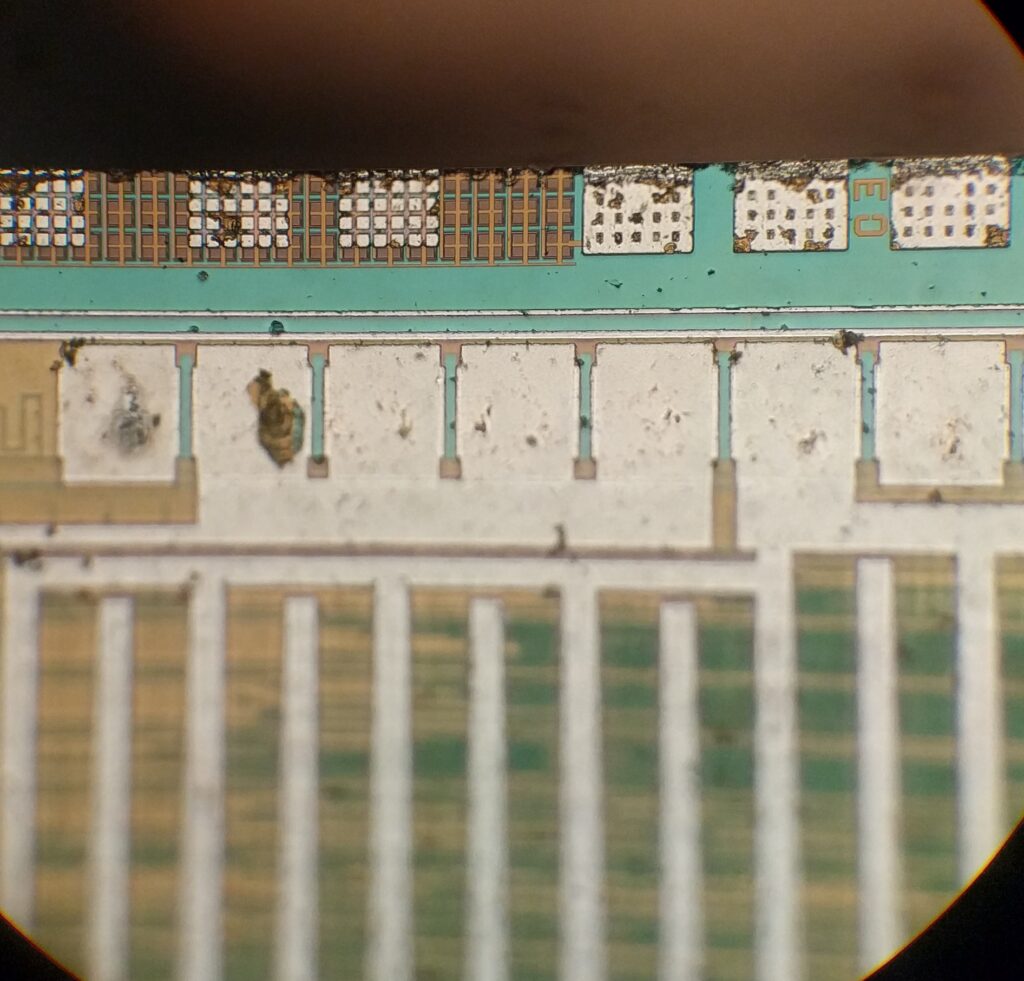
Each half period of the external clock applied must be longer than one system clock cycle to ensure correct sampling. The external clock must be guaranteed to have less than half the system clock frequency (fExtClk < fclk_I/O/2) given a 50/50% duty cycle.
Since the edge detector uses sampling, the maximum frequency of an external clock it can detect is half the sampling frequency (Nyquist sampling theorem). However, due to variation of the system clock frequency and duty cycle caused by Oscillator source (crystal, resonator, and capacitors) tolerances, it is recommended that maximum frequency of an external clock source is less than fclk_I/O/2.5 if Break IC heximal.
An external clock source can not be prescaled.
Bit 7 – TSM: Timer/Counter Synchronization Mode.
Writing the TSM bit to one activates the Timer/Counter Synchronization mode. In this mode, the value that is written to the PSRASY and PSRSYNC bits is kept, hence keeping the corresponding prescaler reset signals asserted.
This ensures that the corresponding Timer/Counters are halted and can be configured to the same value without the risk of one of them advancing during configuration. When the TSM bit is written to zero, the PSRASY and PSRSYNC bits are cleared by hardware, and the Timer/Counters start counting simultaneously.
Bit 0 – PSRSYNC: Prescaler Reset for Synchronous Timer/Counter
When this bit is one, Timer/Counter0 and Timer/Counter1, Timer/Counter3, Timer/Counter4 and Timer/Counter5 prescaler will be Reset. This bit is normally cleared immediately by hardware, except if the TSM bit is set. Note that Timer/Counter0,
Timer/Counter1, Timer/Counter3, Timer/Counter4 and Timer/Counter5 share the same prescaler and a reset of this prescaler will affect all timers when reading mcu atmega2560a heximal.
The Output Compare Modulator (OCM) allows generation of waveforms modulated with a carrier frequency. The modulator uses the outputs from the Output Compare Unit C of the 16-bit Timer/Counter1 and the Output Compare Unit of the 8-bit Timer/Counter0.
For more details about these Timer/Counters see “Timer/Counter0, Timer/Counter1, Timer/Counter3, Timer/Counter4, and Timer/Counter5 Prescalers” on page 169 and “8-bit Timer/Counter2 with PWM and Asynchronous Operation” on page 173 before. When the modulator is enabled, the two output compare channels are modulated together as shown in the block diagram (Figure 64).
The Output Compare unit 1C and Output Compare unit 2 shares the PB7 port pin for output. The outputs of the Output Compare units (OC1C and OC0A) overrides the normal PORTB7 Register when one of them is enabled (i.e., when COMnx1:0 is not equal to zero). When both OC1C and OC0A are enabled at the same time, the modulator is automatically enabled. The functional equivalent schematic of the modulator is shown on Figure 65. The schematic includes part of the Timer/Counter units and the port B pin 7 output driver circuit.
Break MCU PIC16F628A Program
Break MCU PIC16F628A Program is a process to attack microchip microcontroller pic16f628a security fuse bit by focus ion beam and then copy embedded heximal from pic16f628a flash memory;
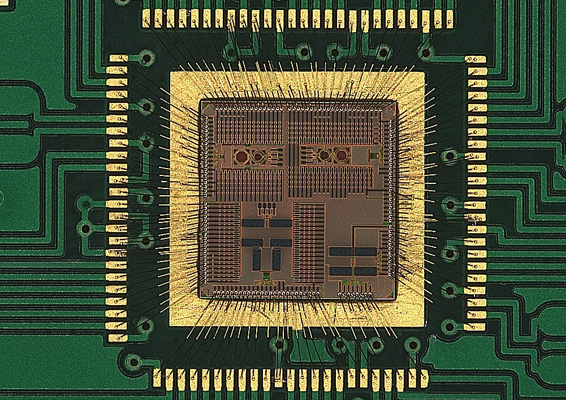
ICFn is automatically cleared when the Input Capture Interrupt Vector is executed. Alternatively, ICFn can be cleared by writing a logic one to its bit location.
Bit 3– OCFnC: Timer/Countern, Output Compare C Match Flag
This flag is set in the timer clock cycle after the counter (TCNTn) value matches the Output Compare Register C (OCRnC).
Note that a Forced Output Compare (FOCnC) strobe will not set the OCFnC Flag. OCFnC is automatically cleared when the Output Compare Match C Interrupt Vector is executed. Alternatively, OCFnC can be cleared by writing a logic one to its bit location.
Bit 2 – OCFnB: Timer/Counter1, Output Compare B Match Flag
This flag is set in the timer clock cycle after the counter (TCNTn) value matches the Output Compare Register B (OCRnB).
Note that a Forced Output Compare (FOCnB) strobe will not set the OCFnB Flag. OCFnB is automatically cleared when the Output Compare Match B Interrupt Vector is executed. Alternatively, OCFnB can be cleared by writing a logic one to its bit location if Break microcontroller pic16f628a memory.
Bit 1 – OCF1A: Timer/Counter1, Output Compare A Match Flag
This flag is set in the timer clock cycle after the counter (TCNTn value matches the Output Compare Register A (OCRnA).
Note that a Forced Output Compare (FOCnA) strobe will not set the OCFnA Flag. OCFnA is automatically cleared when the Output Compare Match A Interrupt Vector is executed. Alternatively, OCFnA can be cleared by writing a logic one to its bit location.
Bit 0 – TOVn: Timer/Countern, Overflow Flag
The setting of this flag is dependent of the WGMn3:0 bits setting. In Normal and CTC modes, the TOVn Flag is set when the timer overflows. Refer to Table 82 on page 160 for the TOVn Flag behavior when using another WGMn3:0 bit setting if attacking pic16f711 MCU memory.
TOVn is automatically cleared when the Timer/Countern Overflow Interrupt Vector is executed. Alternatively, TOVn can be cleared by writing a logic one to its bit location.
Posted in Break IC |
Tags: break mcu archive, break mcu binary, break mcu code, break mcu content, break mcu data, break mcu eeprom, break mcu file, break mcu firmware, break mcu heximal, break mcu information, break mcu memory, break mcu program |
Comments Closed
Reverse Engineering Chip ATmega2560P Code
Reverse Engineering Chip ATmega2560P and copy microcontroller atmega2560p source Code from its flash and eeprom memory, rewrite firmware heximal to new processor atmega2560p to make MCU cloning units;
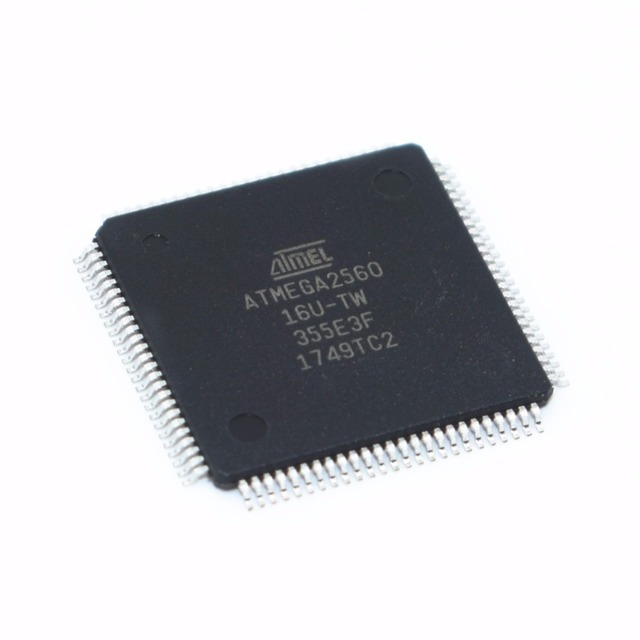
Reverse Engineering Chip ATmega2560P and copy microcontroller atmega2560p source Code from its flash and eeprom memory, rewrite firmware heximal to new processor atmega2560p to make MCU cloning units;
When this bit is written to one, and the I-flag in the Status Register is set (interrupts globally enabled), the Timer/Countern Input Capture interrupt is enabled. The corresponding Interrupt Vector (See “Interrupts” on page 69.) is executed when the ICFn Flag, located in TIFRn, is set.
Bit 3 – OCIEnC: Timer/Countern, Output Compare C Match Interrupt Enable
When this bit is written to one, and the I-flag in the Status Register is set (interrupts globally enabled), the Timer/Countern Output Compare C Match interrupt is enabled. The corresponding Interrupt Vector (See “Interrupts” on page 69.) is executed when the OCFnC Flag, located in TIFRn, is set.
Bit 2 – OCIEnB: Timer/Countern, Output Compare B Match Interrupt Enable
When this bit is written to one, and the I-flag in the Status Register is set (interrupts globally enabled), the Timer/Countern Output Compare B Match interrupt is enabled. The corresponding Interrupt Vector (See “Interrupts” on page 69.) is executed when the OCFnB Flag, located in TIFRn, is set before copy microcontroller pic16c771 firmware.
Bit 1 – OCIEnA: Timer/Countern, Output Compare A Match Interrupt Enable
When this bit is written to one, and the I-flag in the Status Register is set (interrupts globally enabled), the Timer/Countern Output Compare A Match interrupt is enabled. The corresponding Interrupt Vector (See “Interrupts” on page 69.) is executed when the OCFnA Flag, located in TIFRn, is set.
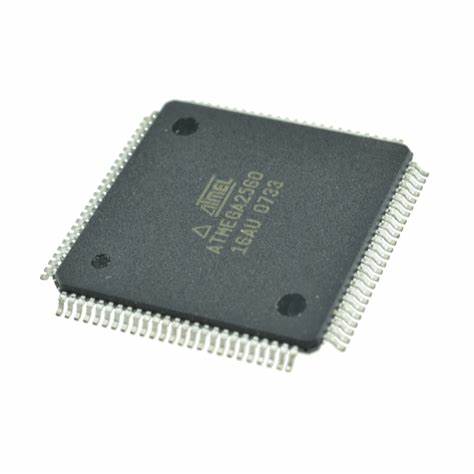
unlock atmega2560p atmel microcomputer protection and copy atmega2560p mcu chip memory content
Bit 0 – TOIEn: Timer/Countern, Overflow Interrupt Enable
When this bit is written to one, and the I-flag in the Status Register is set (interrupts globally enabled), the Timer/Countern Overflow interrupt is enabled. The corresponding Interrupt Vector (See “Interrupts” on page 69.) is executed when the TOVn Flag, located in TIFRn, is set.
Bit 5 – ICFn: Timer/Countern, Input Capture Flag
This flag is set when a capture event occurs on the ICPn pin. When the Input Capture Register (ICRn) is set by the WGMn3:0 to be used as the TOP value, the ICFn Flag is set when the counter reaches the TOP value.