 Recovery IC PIC16F54C Program: The Letter After the Number Decides the Job
 May 17th, 2010 |
  Author:
 Bills of materials are written by people, not by datasheets, and this part number shows it. The Microchip catalogue contains a PIC16C54C, which is one-time programmable, and a PIC16F54, which is flash. A line item that reads PIC16F54C is a blend of the two, and it usually means one of three things: the buyer meant the flash part and typed an extra letter, the buyer meant the OTP part and typed F out of habit, or the board carries whichever was cheapest in the quarter it was built. All three arrive as the same request, and the first job on the bench is not reading memory but deciding which of two very different devices is in front of you.
The difference is not cosmetic. It decides whether the recovered content can be turned into a working second unit, whether an erasure is possible at all, and how the protection behaves under a probe.
The two parts behind one part number
| PIC16C54C | PIC16F54 | |
|---|---|---|
| program memory | 512 by 12 bits, OTP | 512 by 12 bits, flash |
| data RAM | 25 bytes | 25 bytes |
| I/O | 12 pins | 12 pins |
| instruction set | 33 instructions, 12-bit core | same core, same 33 |
| interrupts | none | none |
| erase | none, the array is a fuse array | bulk erase through the programming interface |
| protection | code-protect fuses | code-protect bit in the config word |
| second unit | needs a stock of blank OTP parts | any blank flash part of the same order code |
Two rows carry most of the consequence. No erase means the OTP part is written once, permanently, and a device that left the factory protected will stay protected no matter what the fixture does. And the protection mechanism is different in kind: a fuse, once blown, is a physical open circuit, while a flash protect bit is a latch that the programming interface set and that only a full erase clears.
Why 512 words is a comfortable size
There is an arithmetic accident worth knowing. The 12-bit core addresses program memory with nine bits inside GOTO and CALL, so a part with exactly 512 words needs no page selection at all: every address in the array is reachable from every other address without touching a status bit. That is why the 16C54 class is so easy to disassemble linearly and so hard to get wrong.
It also explains why the same family becomes difficult two steps up. Add paging and a linear disassembler starts labelling calls into the wrong half of the array, which is the failure mode that makes a 16C57 recovery look unsuccessful when it is merely misread. On a 512-word part, the only structural landmark is the reset vector at address zero and the calibration word at the top.
The last word is not code
On both variants the highest program address holds the factory oscillator calibration value, a single MOVLW instruction whose operand trims the internal RC oscillator. It is written at test, it differs from unit to unit, and it is not reproducible from a datasheet.
Two consequences follow. First, a blank part reads all ones at that address; on a clone built from an image that was not taken from a real unit, the core will run at an untrimmed frequency and every timing constant in the firmware will drift. Second, the tool must carry the word across as data rather than recompute it. A recovery that returns the instruction stream and loses the top word has delivered a program that will run at the wrong speed in about half the units built from it.
What “program” means when nothing can be erased
The word in the request is program, not code, and on the OTP variant that distinction is the whole engagement. A program is the deliverable that a production line can act on: an image plus the configuration word plus the calibration word, in a container that a device programmer will accept without editing.
On a flash part the same bundle can be burned into any blank unit and the job ends there. On an OTP part the bundle is only useful if the customer can still buy blanks, because the recovery cannot produce a second programmable device from a written one. That is a stock question, not a technical one, and it belongs in the first reply rather than after the work is done.
Reading the config word before the array
The configuration word sits outside the program array and describes the oscillator mode, the watchdog, the reset pin function and the protection state. On many units it can be read even when the array cannot, and it is worth reading first for three reasons: it tells you whether the array will answer at all, it tells you what clock the design expected, and on this family it tells you whether the last word you are about to protect is the calibration word or ordinary code.
A part that reads as a repeating pattern while the config word claims protection is off is the classic false positive of automated triage. The pattern is the protection behaviour leaking through the read path, not content, and treating it as data produces an image that disassembles into the same instruction over and over.
Where this part goes wrong in practice
Three patterns cover most of the units that arrive.
The first is a chip marked PIC16F54 with a date code that predates the flash version’s release, which means the marking is a remark or the board is a rebuild. Silicon identity matters more than the label here, and the die marking settles it.
The second is a program that reads cleanly but hangs immediately on a rebuilt unit. Almost always the config word was delivered with the protection bits still set, so the new part is protected from the first power-up and the programming fixture cannot verify what it wrote.
The third is a recovered image whose last word is all ones. That is not a reading error. It is a part whose calibration word was erased by a previous attempt, and the only honest recovery is to say so and to source a calibration value from a sibling unit of the same batch.
For the same die in its eight-pin form, where the pin budget rather than the array decides how the part is reached, PIC12C508A firmware reversal continues the argument. Where the array is twice this size and paging appears, PIC16C57C firmware shows what changes. And for the OTP part that shares this core but stores twenty-five bytes of RAM against a twelve-pin port, PIC16C56 code copying is the closest relative.
FAQ
Does the trailing C in PIC16F54C mean a revision? On the OTP part, C is a genuine die revision that Microchip documents. On the flash part there is no C; the letter in a BOM is either a typo or a carry-over from an older line item. Marking and die identify the device, not the purchase order.
Can an OTP part be unprotected? The fuse that protects the array cannot be regrown. Work on a protected OTP device is die-level work, and it recovers content rather than restoring the part to a programmable state.
Is 512 words enough for a real product? Routinely. Keyboard controllers, chargers, toy electronics and simple sensors fit comfortably in a 512-word array at 33 instructions, and a large share of the parts submitted under this number are exactly that.
The short version
One part number, two devices, two very different engagements. Decide which die is on the board before quoting, read the config word before the array, and carry the calibration word across as data. On the flash variant the deliverable is a clone; on the OTP variant it is a recovered program plus a conversation about blank stock.
 Posted in Recover Chip |
  Tags: recovery ic archive, recovery ic bin, recovery ic code, recovery ic content, recovery ic data, recovery ic eeprom, recovery ic file, recovery ic firmware, recovery ic hex, recovery ic information, recovery ic memory, recovery ic program |
  Comments Closed
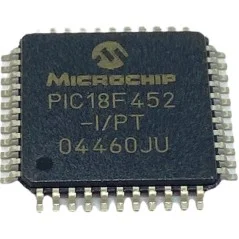
Recover MCU PIC18F452 Program
When embedded systems fail, are upgraded, or require inspection, access to the original firmware can be vital. Our service — summarized under the keyword Recover MCU PIC18F452 Program — helps legitimate owners and authorized technicians restore, readout, copy, clone, or duplicate the protected program held inside Microchip’s PIC18F452 MCU. We focus on recovering the firmware/binary/heximal image and producing usable outputs while respecting legal and ethical boundaries.
Recover MCU PIC18F452 Program starts from unlocking microcontroller pic18f452 secured memory and extract pic18f452 secured flash memory content;
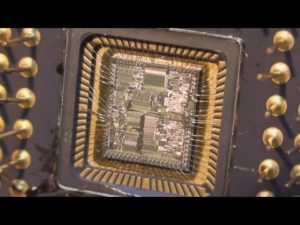
A “fast interrupt return” option is available for interrupts. A Fast Register Stack is provided for the STATUS, WREG and BSR registers and are only one in depth. The stack is not recoverable or writable and is loaded with the current value of the corresponding register when the processor vectors for an interrupt. The values in the registers are then loaded back into the working registers, if the FAST RETURN instruction is used to return from the interrupt.
A low or high priority interrupt source will push values into the stack registers. If both low and high priority interrupts are enabled, the stack registers cannot be used reliably for low priority interrupts. If a high priority interrupt occurs while servicing a low priority interrupt, the stack register values stored by the low priority interrupt will be overwritten if break pic12f635 MCU program.
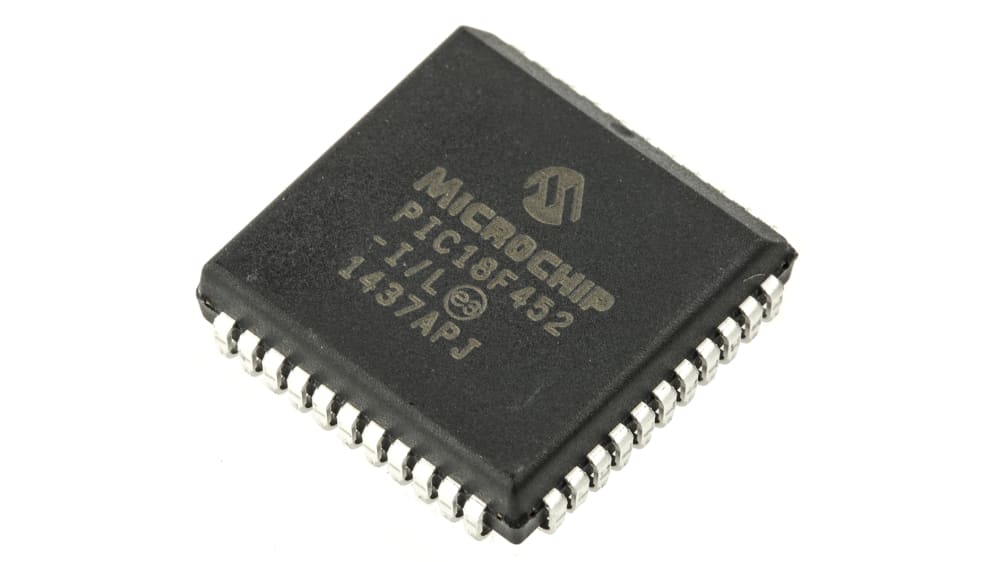
Why clients need PIC18F452 program recovery
The PIC18F452 is a workhorse in many legacy and modern applications thanks to its flexible I/O, analog and timing peripherals, and on-chip nonvolatile memories. Devices built around this MCU often contain essential program files, calibration data, and archived memory that control hardware behavior. Typical reasons to request recovery include:
- Restore a device after accidental corruption or bad firmware updates.
- Duplicate/clone firmware for manufacturing spares or supporting legacy production.
- Migrate software to replacement hardware during end-of-life transitions.
- Audit or validate embedded code for safety, compliance, or forensic analysis.
What we do (high level, non-invasive)
Our service helps customers to legally open, unlock, decode, and extract the embedded flash/eeprom contents without publishing methods to bypass manufacturer protections. Key outcomes include:
- Verified extraction of the raw binary/heximal firmware image.
- Data integrity checks and documented checksums for recovery traceability.
- High-level decoding and annotated disassembly to aid engineers in understanding the recovered code.
- Delivery of recoverable files and a concise recovery report describing what was found and recommended next steps.
We do not provide procedural guidance to circumvent protections for unlawful purposes. All projects require proof of ownership or explicit authorization.
If high priority interrupts are not disabled during low priority interrupts, users must save the key registers in software during a low priority interrupt. If no interrupts are used, the fast register stack can be used to restore the STATUS, WREG and BSR registers at the end of a subroutine call. To use the fast register stack for a subroutine call, a FAST CALL instruction must be executed.
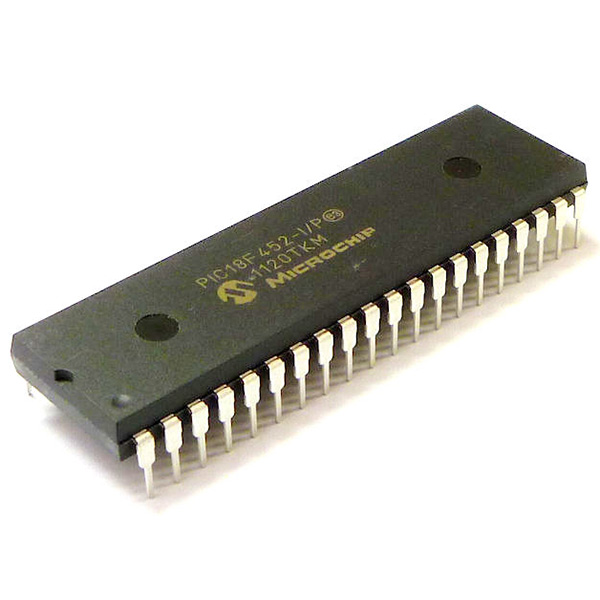
Example 4-1 shows a source code example that uses the fast register stack. The program counter (PC) specifies the address of the instruction to fetch for execution. The PC is 21-bits wide. The low byte is called the PCL register. This register is recoverable and writable. The high byte is called the PCH register. This register contains the PC<15:8> bits and is not directly recoverable or writable after break pic12f629 MCU program.
Updates to the PCH register may be performed through the PCLATH register. The upper byte is called PCU. This register contains the PC<20:16> bits and is not directly recoverable or writable. Updates to the PCU register may be performed through the PCLATU register.
The PC addresses bytes in the program memory. To prevent the PC from becoming misaligned with word instructions, the LSB of PCL is fixed to a value of ’0’. The PC increments by 2 to address sequential instructions in the program memory.
The CALL, RCALL, GOTO and program branch instructions write to the program counter directly. For these instructions, the contents of PCLATH and PCLATU are not transferred to the program counter.
Applications where PIC18F452 matters
The PIC18F452’s blend of digital control and analog support makes it common across multiple industries:
- Industrial controllers and instrumentation, where deterministic timing and ADCs matter.
- Consumer electronics and appliances, for feature logic and user interfaces.
- Automotive subsystems in legacy modules that use robust 8-bit control.
- Medical instruments and test equipment that rely on stable, well-tested firmware.
Because these systems often run long past their original support window, firmware recovery is frequently the only path to safe maintenance, calibration, or legal continuity.
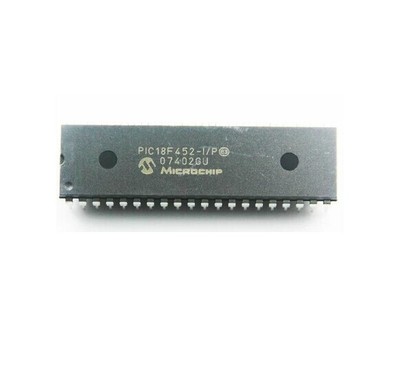
Unique recovery considerations for PIC18F452
The PIC18F family commonly stores program code in on-chip flash with supplementary EEPROM for parameter data. Firmware may be protected, locked, or use custom bootloader schemes that complicate straightforward readout. Our approach combines careful chip identification, non-destructive readout methods, and conservative validation to minimize the risk of data loss. We prioritize preserving the device and its memory contents while delivering actionable artifacts to the customer.
The contents of PCLATH and PCLATU will be transferred to the program counter by an operation that writes PCL. Similarly, the upper two bytes of the program counter will be transferred to PCLATH and PCLATU by an operation that recovers PCL. This is useful for computed offsets to the PC.
The clock input (from OSC1) is internally divided by four to generate four non-overlapping quadrature clocks, namely Q1, Q2, Q3 and Q4. Internally, the program counter (PC) is incremented every Q1, the instruction is fetched from the program memory and latched into the instruction register in Q4.
The instruction is decoded and executed during the following Q1 through Q4. The clocks and instruction execution flow are shown in Figure 4-4. An “Instruction Cycle” consists of four Q cycles (Q1, Q2, Q3 and Q4). The instruction fetch and execute are pipelined such that fetch takes one instruction cycle, while decode and execute takes another instruction cycle;
However, due to the pipelining, each instruction effectively executes in one cycle. If an instruction causes the program counter to change (e.g., GOTO) then two cycles are required to complete the instruction (Example 4-2). The program memory is addressed in bytes. Instructions are stored as two bytes or four bytes in program memory.
The Least Significant Byte of an instruction word is always stored in a program memory location with an even address (LSB =’0’). Figure 4-5 shows an example of how instruction words are stored in the program memory. To maintain alignment with instruction boundaries, the PC increments in steps of 2 and the LSB will always recover ’0’ (see Section 4.4).
Clients receive the recovered heximal/binary file, a recovery certificate, and optional annotated disassembly to support debugging, porting, or re-engineering. Every engagement is governed by confidentiality agreements and an authorization check — our commitment is to lawful, ethical recovery for repair, backup, migration, or authorized analysis.
If you need to Recover MCU PIC18F452 Program — to restore, clone, or recover crucial program archives from a protected or secured device — our team provides secure, professional support that safeguards your data and operational continuity.
ATmega162L: What the L Suffix Does to Every Timing Constant
Part numbers carry grade information in their suffixes, and L is one of the oldest conventions: a part specified to operate at a lower supply, and usually at a lower maximum frequency, than the standard version of the same device.
The frequency limit is the part that matters for firmware, because every timing constant in a program is a count of clock cycles. A design that ran at one frequency and was ported to a slower grade carries counts that now mean something else.
The relationship the grade changes
Frequency and supply are linked by physics: a lower rail switches transistors more slowly, so the same die runs at a lower maximum clock. The grade is a statement about that limit, not about the die’s identity.
Two consequences for a program:
Timing constants scale. A one-millisecond delay counted in cycles needs a different count at a different clock. If the firmware was compiled for one grade and flashed onto another, every delay is off by the ratio.
The safe maximum falls. A design with margin at sixteen megahertz may have none at eight, and the failure appears as intermittent corruption rather than as a clean fault.
| Constant type | Effect of a slower clock |
|---|---|
| Delay loops | Longer than intended |
| Baud rate divisor | Wrong baud rate |
| Timer reload values | Longer periods |
| Timeout counters | Later expiry |
The third row is the dangerous one, because a timer period set by a reload value is often the basis of a control loop. A loop that runs at half the intended rate may still be stable and may still be wrong.
Why the suffix is invisible in the image
Nothing in the flash records which grade the code was compiled for. The compiler emitted counts, and counts do not carry units.
So the only ways to establish the intended clock are indirect:
- The baud rate constant, if a known protocol is being spoken.
- The timer configuration, if a round period is recognisable.
- The delay loops, if one of them corresponds to a recognisable interval.
Each of these is a deduction, and together they are usually conclusive.
The reading order that makes the deduction possible
- Signature, fuses, lock byte. The fuse byte names the clock source and the prescaler.
- Array read, verified.
- Locate the serial initialisation and extract the divisor.
- Locate timer initialisation and extract the reload values.
- Solve for the effective clock that makes the round numbers round.
Step 5 is the pivot. If a baud divisor and a timer reload both become clean values at eight megahertz and neither does at sixteen, the build was for eight. That is arithmetic, and it is more reliable than any assumption.
What the L grade implies about the product
A product built on a low-voltage part is usually battery powered or supplied from a rail that is not five volts. That tells you something about the enclosure, the power path, and the likely failure modes in the field.
It also tells you that the design traded speed for supply range, which is a decision with consequences elsewhere: fewer samples per second, slower responses, longer settling times. Those are visible in the constants once the clock is established.
Where the grade does not matter
Protection is unaffected. The lock bit state machine, the fuse map, and the erase behaviour are the same as on the standard grade. The recovery procedure does not change with the suffix.
What changes is the interpretation of timing, and that only matters if the analysis goes as far as behaviour. A pure extraction is unaffected; a reproduction is not.
Related notes
- ATmega162PV and the artefact bundle — what to record alongside the image.
- ATmega162A and dual channels — the baud rate that helps solve the clock.
- ATmega324V and the voltage grade — the same trade from the supply side.
FAQ
Does an L grade part run at five volts? Within its upper limit, usually yes. The lower bound is what the grade extends.
Can the clock be deduced without a serial port? From timer reload values and delay loops, less precisely but often adequately.
Why does a slower clock cause corruption rather than failure? Because timing-dependent protocols degrade gradually rather than stopping.
Does the grade change the fuse defaults? The fuse map is the same. Default values can differ between parts.
Conclusion
An L suffix is a specification, and every timing constant in a program is expressed against a specification. Solving for the clock from a baud divisor and a timer reload turns an assumption into a measurement, and it explains why identical code behaves differently on two grades of the same die.
Break MCU PIC18F442 Software
Break MCU PIC18F442 and extract embedded code from microcontroller pic18f442, the encrypted flash memory heximal of microprocessor pic18f442 will be unlocked;
The top of the stack is breakable and writable. Three register locations, TOSU, TOSH and TOSL hold the contents of the stack location pointed to by the STKPTR register. This allows users to implement a software stack if necessary.
After a CALL, RCALL or interrupt, the software can break the pushed value by breaking the TOSU, TOSH and TOSL registers. These values can be placed on a user defined software stack when Break pic16f88 Mcu data.
At return time, the software can replace the TOSU, TOSH and TOSL and do a return. The user must disable the global interrupt enable bits during this time to prevent inadvertent stack operations.
The STKPTR register contains the stack pointer value, the STKFUL (stack full) status bit, and the STKUNF (stack underflow) status bits. Register 4-1 shows the STKPTR register. The value of the stack pointer can be 0 through 31. The stack pointer increments when values are pushed onto the stack and decrements when values are popped off the stack. At RESET, the stack pointer value will be used to Breaking pic12ce518 Mcu.
The user may break and write the stack pointer value. This feature can be used by a Real Time Operating System for return stack maintenance. After the PC is pushed onto the stack 31 times (without popping any values off the stack), the STKFUL bit is set. The STKFUL bit can only be cleared in software or by a POR.
The action that takes place when the stack becomes full depends on the state of the STVREN (Stack Over-flow Reset Enable) configuration bit. Refer to Section 20.0 for a description of the device configuration bits.
If STVREN is set (default), the 31st push will push the (PC + 2) value onto the stack, set the STKFUL bit, and reset the device. The STKFUL bit will remain set and the stack pointer will be set to ‘0’.
If STVREN is cleared, the STKFUL bit will be set on the 31st push and the stack pointer will increment to 31. Any additional pushes will not overwrite the 31st push, and STKPTR will remain at 31.
Since the Top-of-Stack (TOS) is breakable and writable, the ability to push values onto the stack and pull values off the stack without disturbing normal program execution is a desirable option. To push the current PC value onto the stack, a PUSH instruction can be executed.
This will increment the stack pointer and load the current PC value onto the stack. TOSU, TOSH and TOSL can then be modified to place a return address on the stack.
The ability to pull the TOS value off of the stack and replace it with the value that was previously pushed onto the stack, without disturbing normal execution, is achieved by using the POP instruction. ThePOP instruction discards the current TOS by decrementing the stack pointer.
The previous value pushed onto the stack then becomes the TOS value. These resets are enabled by programming the STVREN configuration bit. When the STVREN bit is disabled, a full or underflow condition will set the appropriate STKFUL or STKUNF bit, but not cause a device RESET.
When the STVREN bit is enabled, a full or underflow will set the appropriate STKFUL or STKUNF bit and then cause a device RESET. The STKFUL or STKUNF bits are only cleared by the user software or a POR Reset.
Posted in Break IC |
Tags: break mcu protected archive, break mcu protected binary, break mcu protected code, break mcu protected content, break mcu protected data, break mcu protected eeprom, break mcu protected file, break mcu protected firmware, break mcu protected heximal, break mcu protected information, break mcu protected memory, break mcu protected program |
Comments Closed
R7FA2L1AB3CFN: What Eighty Pins Keep and What They Drop
Take the hundred-pin member of this group, remove twenty pins, and change nothing else. The flash is still 256 KB, the RAM is still 32 KB, the core still runs to 48 MHz, the temperature grade is still the industrial one at 105 °C. On paper the two parts differ by a package.
In practice they differ by which functions a design can use, because the twenty missing pins are not distributed evenly across every peripheral. They come out of specific places, and the places they come out of are the ones that decide whether a design is feasible on the smaller body.
What the eighty-pin part still has
Everything that matters for computation and for most control work survives intact. The core, both flash arrays, the RAM, the touch sensing unit, the converter, the serial channels, CAN, the AES block — all of it is behind the pins rather than in them.
| resource | LQFP100 | LQFP80 | lost |
|---|---|---|---|
| code flash | 256 KB | 256 KB | nothing |
| data flash | 8 KB | 8 KB | nothing |
| SRAM | 32 KB | 32 KB | nothing |
| package size | 14 × 14 mm | 12 × 12 mm | 25 per cent of the footprint |
| pin pitch | 0.5 mm | 0.5 mm | nothing, same handling |
The footprint reduction is real and it is the commercial reason the part exists: a twelfth of a millimetre off each edge sounds trivial until a board is already tight. But the pitch is unchanged at half a millimetre, which means the soldering process and the inspection process are the same, which in turn means the smaller package is not a manufacturing step change.
Where the twenty pins went
Three categories absorb the reduction, and they absorb it in a fairly predictable order.
The first is port pins that were only ever needed for a wide interface. A design driving a sixteen-bit parallel display or a large key matrix wants every pin it can get; a design driving a serial display does not.
The second is the analogue front end. Converter channels are multiplexed onto port pins, and on the smaller package some of those pins are simply not bonded out. A design that measures eight signals may find that only six of its chosen pins survive.
The third is the touch interface. Capacitive sensing channels are also pin-bound, and the number available tracks the package rather than the silicon.
| function class | behaviour on the smaller package | what a design does about it |
|---|---|---|
| general-purpose I/O | fewer port bits bonded out | serial interfaces instead of parallel |
| converter channels | some channels unavailable | fewer sensors, or an external multiplexer |
| touch channels | fewer electrodes | fewer keys, or a different sensing layout |
| serial flow control | modem control pins often dropped | software flow control, or none |
The third and fourth rows are the ones that cause late redesigns. A design that assumed hardware flow control and a twelve-key touch panel fits comfortably on a hundred pins and does not fit on eighty, and the discovery usually happens when the board is already laid out.
The registers keep bits that have no pin
Here is the detail that matters after a recovery rather than before a design. The port registers exist whether or not the corresponding pins are bonded. Writing to a bit whose pin is absent does not fault, does not read back as an error, and does not change anything observable. It is simply a write to a latch that drives nothing.
The consequence is that firmware written for a hundred-pin part runs on an eighty-pin part without complaint, as long as the functions it actually needs are among the surviving pins. And that means the image carries a record of the package it was written for, in the set of port bits it configures at start-up.
Reading that set is a short exercise: take the initialisation code, collect every port direction and function-select write, and note the highest port bit touched in each port. A build that configures bits which do not exist on the smaller package was written for the larger one. That does not make it wrong, but it tells you which datasheet to open.
Why package detection belongs in the report
Customers rarely know which package a failed board used. They know the product, and the product may have been built in two revisions with two packages, and the failed unit may be either.
The image answers it. A configuration that only makes sense on a hundred-pin part, combined with a physical part that is eighty pins, means either the firmware was never adjusted for the board revision or the board is not what the documentation says. Both are worth telling the customer, and neither is discoverable from the marking alone.
There is a second use: if the image drives a peripheral that needs pins the smaller package does not have, restoring that image onto an eighty-pin replacement produces a device that boots, runs, and silently fails at exactly one function. That failure is expensive to diagnose later and trivial to predict now.
The access question, which is separate
For the bench, the eighty-pin body is slightly harder than the hundred-pin one for a reason unrelated to specifications: there is less unused copper to attach to, and the pins that are available are more likely to be in use.
The two debug signals and the mode pin are the whole requirement, and on most boards at least the debug pair is brought out to a header because the design was developed on it. Where the header is absent, the fallback is the boot firmware path, which needs the mode pin and a serial pair. Neither route needs more than four connections, and all four exist on this package.
What the deliverable contains
The return set is the 256 KB code flash image, the 8 KB data flash as a separate file, the configuration words from their fixed addresses, the identification words as read, a disassembly with the vector table resolved, and a note stating which package the firmware appears to target and on what evidence.
That last note is unusual in a recovery report and consistently useful, because it is the one item that tells the customer whether their replacement strategy is sound.
The hundred-pin member is decoded field by field in R7FA2L1AB3CFP software extraction. Where the reduction goes one step further and starts limiting the touch and converter channel count, R7FA2L1AB3CFM binary recovery covers the consequences. The forty-eight-pin body with no leads at all is in R7FA2L1AB3CNE flash recovery.
FAQ
Is the die different? No. Within a flash size and grade combination the die is the same; only the package and the bonded-out pins change.
Will a hundred-pin image run on an eighty-pin part? It will run. Whether it works depends on whether the functions it needs are among the surviving pins.
Does writing to an unbonded port bit cause a fault? No. The register exists and the write is accepted; nothing external happens.
Conclusion
Twenty pins is not a rounding error on a part this size. They come out of the analogue front end, the touch interface and the wide parallel interfaces first, and a design that assumed any of those has to change. After a recovery the package question is answerable from the image, because the port configuration records what the build expected — and that is worth a line in the report.
Posted in Recover Chip |
Tags: microcontroller recoverying protected archive, microcontroller recoverying protected binary, microcontroller recoverying protected code, microcontroller recoverying protected content, microcontroller recoverying protected data, microcontroller recoverying protected eeprom, microcontroller recoverying protected file, microcontroller recoverying protected firmware, microcontroller recoverying protected heximal, microcontroller recoverying protected information, microcontroller recoverying protected memory, microcontroller recoverying protected program |
Comments Closed
R7FA2L1AB3CFP: Eight Fields, and Only Two of Them Change the Work
A request arrives as one string of thirteen characters. It contains eight separate statements about the device, and the person who wrote it usually knows what two of them mean. That is not a criticism — the code is built for purchasing systems, not for engineers — but it does explain why the first reply to a recovery enquiry is so often a question.
For R7FA2L1AB3CFP the eight fields are all decodable, and once they are laid out it becomes clear that six of them are about commercial identity and two are about physical work.
The eight fields
| position | value | what it states | does it change the recovery |
|---|---|---|---|
| prefix | R7F | Renesas flash microcontroller | no, constant across the family |
| family and series | A | RA family | no, constant |
| group | 2L1 | RA2L1: core, peripheral map, memory map | yes, this is the architecture |
| feature set | A | first feature set of the group | no, constant for these parts |
| code flash | B | 256 KB (9 would be 128 KB) | yes, it fixes the image length |
| quality grade | C | industrial (D would be consumer) | no, it changes screening and documents |
| temperature | 3 | −40 to +105 °C (2 would be −40 to +85 °C) | no, it changes the operating envelope |
| package and pins | FP | LQFP, 100 pins, 14 × 14 mm, 0.5 mm pitch | yes, it fixes how you reach the part |
The two rows that do work are the code-flash letter and the package suffix. Everything between them describes how the part was screened and what temperature it is guaranteed over, which matters enormously to a design and not at all to a read-out.
What the group field buys you
RA2L1 is a 32-bit Arm Cortex-M23 running to 48 MHz, with no floating-point unit and no cache. Inside the group the peripheral set is fixed: a capacitive touch sensing unit in its second generation, nineteen channels of twelve-bit successive-approximation conversion, a twelve-bit digital-to-analogue channel, CAN, several serial channels covering asynchronous, clocked and two-wire modes, a data transfer controller rather than a full DMA engine, AES with a true random number generator, and the low-voltage and watchdog blocks that every design ends up using.
Two numbers in that list are worth pausing on because they constrain what a recovered image can contain. The absence of a floating-point unit means any decimal arithmetic in the firmware is done by a software library, and that library has a recognisable shape. And the absence of a cache means the instruction stream executes from flash at a predictable rate, so timing loops in the image can be counted rather than measured.
The memory map is the other constant the group field fixes: 256 KB of code flash, 8 KB of data flash, 32 KB of static RAM. All three are separate address ranges, and that separation survives into the recovery report — the two flash arrays are read through different mechanisms and delivered as different files.
What the package field costs
Eighty-five general-purpose I/O pins on the hundred-pin body is a generous number, and it is the reason this particular suffix appears so often in industrial designs. But a recovery never uses eighty-five pins. It uses two, plus a mode pin, plus ground and whatever supply the adapter needs.
| what the bench needs | on LQFP100 | note |
|---|---|---|
| debug clock and data | two pins, dedicated | the primary route in |
| mode pin | one pin, sampled at reset | selects the boot path |
| ground | at least one, preferably several | shared with the adapter |
| target supply | one or two pins | or the board’s own rail |
The consequence is that a hundred-pin part is easier to work on than a forty-eight-pin one for a reason that has nothing to do with pin count as a specification: the pins exist, they are brought out, and there is room to clip onto them. On smaller packages the same two signals are often shared with functions the board actually uses, and the header may not exist.
That is why the package suffix is one of the two fields that changes the work. Not because the silicon differs, but because access differs.
The image proves itself in its first eight bytes
Cortex-M images have a property that makes them unusually easy to authenticate: the vector table sits at address zero, its first word is the initial stack pointer and its second word is the reset handler address.
That gives three checks before any disassembly:
- The first word should point at the top of a 32 KB SRAM region, which is a value in a narrow and recognisable band.
- The second word should point inside the code flash range, and it should be odd — the low bit marks Thumb state, and a Cortex-M reset vector with a zero low bit is not a valid entry.
- The number of vectors times four should not exceed the space before the first function.
A base address error, a byte-order error or a truncated read all break one of those three. A correct image passes all of them without any tooling.
The three doors, and which one a lock closes
Access to this family is through one of three routes, and they are independent enough that closing one leaves the others open in ways that surprise people:
- The debug port, two wires, gated by a set of identification words the tool must present.
- The boot firmware, entered by holding a mode pin at reset, which speaks a serial protocol and does not need the debug port at all.
- The silicon itself, which no configuration reaches.
The first two are configuration-gated and the third is not. A part that refuses the debugger may still accept the serial protocol, and a part that refuses both is not necessarily destroyed. Knowing which door a given refusal applies to is most of the diagnostic work, and it is the subject the rest of this series returns to.
What comes back
A software-level recovery on this part returns the code flash as a binary or Intel HEX image of the correct 256 KB length, the 8 KB data flash as a separate file because it is a separate address range, the configuration words found at their fixed addresses, the identification words as read, and a disassembly with the vector table resolved into named handlers.
The data flash deserves its own file for a reason that is easy to state and easy to get wrong: it is not an EEPROM. It is flash, at a different address, with flash erase granularity and flash endurance. Treating it as a small EEPROM in the report sets up every downstream decision incorrectly.
The identification words are the other item worth naming explicitly. Where they were set, the report should say so, because it changes which access route a future attempt should use.
The identification mechanism has its own page in this series — R7FA2L1AB2DFN locked program recovery — and the route that bypasses the debug port entirely is covered in R7FA2L1AB2DFM software recovery. A second, earlier page on a different member of the same group is at R7FA2L1A92DFL binary extraction.
FAQ
Is the 100-pin part different silicon from the 48-pin one? No. The die is the same within a flash and grade combination. What differs is the package, the number of bonded-out pins, and therefore the access.
Does the quality grade affect readability? Not the mechanism. It affects screening, documentation and the guaranteed temperature range.
What is the first thing to check on a returned image? The first two words: initial stack pointer and reset vector. They validate base address, byte order and completeness in one look.
Conclusion
Read the code from both ends. The group field tells you the architecture and therefore the whole toolchain. The flash letter and the package suffix tell you the image length and the access route, and those two decide the job. The four fields in the middle are about how the part was sold and how hot it may run, and they belong in the report rather than in the plan.
Posted in Reverse Engineer Microcontroller |
Tags: ic breaking embedded archive, ic breaking embedded binary, ic breaking embedded code, ic breaking embedded content, ic breaking embedded data, ic breaking embedded eeprom, ic breaking embedded file, ic breaking embedded firmware, ic breaking embedded heximal, ic breaking embedded information, ic breaking embedded memory, ic breaking embedded program |
Comments Closed
ATmega162PV: The Four Things That Make a Recovery Reproducible
A recovered image is one of four things a device knows about itself. The other three are read with different commands, live in different address spaces, and are absent from every file that describes the program.
Each of them is needed to reproduce the device. Each is lost if it is not recorded at the time, because two of them are cleared or altered by the one operation that might be attempted later.
The four artefacts
| Artefact | Read with | Lost if |
|---|---|---|
| Device signature | Signature command | Never; it is fixed in silicon |
| Fuse byte | Fuse read | Overwritten by a fuse write |
| Lock byte | Lock read | Cleared by chip erase |
| Flash array | Memory read | Erased, at any time |
The fourth row is the obvious one. The second and third are the ones that get lost through carelessness rather than through an erase: a fuse rewritten to make a part runnable, with no note of the original value.
That single omission turns a reproducible device into an anecdote.
Why the hex format is the right container for the bundle
A hex file records addresses, has a checksum per line, and terminates explicitly. Those three properties are exactly what a bundle needs:
- Addresses keep the flash and any EEPROM block separate and labelled.
- Per-line checksums catch a corrupted transfer.
- The terminator distinguishes a complete file from a truncated one.
A binary has none of them. It is smaller, it is what some tools require, and it is a poor archival format for the same reason.
The fuses and the lock byte are not in the hex, so the file has to be accompanied by a text record of the values read. Putting them in the file name or in a comment line is enough; keeping them only in memory is not.
What each artefact answers later
Signature. Which die, therefore which array size and which commands apply. Without it, a file’s length cannot be checked against anything.
Fuse byte. Why the part behaved as it did: what clock it expected, whether the interface was enabled, whether the EEPROM survives an erase.
Lock byte. What protection state the part was in, which explains whether the read was permitted and what would have happened had an erase been attempted.
Array. The program.
A report missing the second or third is a report that cannot be checked. Anyone reading it later has to take the conclusions on trust, which defeats the purpose of recording measurements.
The reading sequence, with recording as a step
- Power at the design rail.
- Read signature. Record it.
- Read fuse byte. Record it before changing anything.
- Read lock byte. Record it.
- Read the array in pages, verified, recorded with a checksum per page.
- Re-read the first page and confirm it still matches.
Step 3 is the one whose order matters most. A fuse write applied to make a silent part respond destroys the evidence of why it was silent, and that evidence is often the customer’s actual question.
Where the PV suffix comes in
The picoPower die and the extended voltage range both narrow the margin during a read, which is why the verification in step 5 is not a formality. On a part read at a low rail, a page that fails its second read is telling you about the supply rather than about the memory.
Recording how many pages needed a retry is the measurement that makes the bundle defensible, because it states how marginal the session was.
Related notes
- ATmega162A and dual channels — the architecture this bundle describes.
- ATmega162PA and the binary view — why the format choice matters.
- ATmega640P and complete hex files — what a hex is expected to contain.
FAQ
Are the fuses ever recoverable after being overwritten? Not from the device. They can sometimes be inferred from behaviour, which is weaker evidence.
Is the signature affected by an erase? No. It is fixed in silicon.
Should the lock byte be recorded even when the part is unlocked? Yes, because it establishes that the read was permitted rather than that protection was absent.
Why keep the images separate if the tool combines them? Because provenance matters more than convenience once a file is being handed to someone else.
Conclusion
Four artefacts, three of them easy to lose, and one operation that can destroy two at once. Recording signature, fuses and lock byte before touching anything is what makes a recovered image reproducible, and the hex format is the container that keeps the bundle labelled and checkable.
Recover MCU R5F562TAADFH EEPROM: Reading a Board That Will Not Boot
A dead product is a different engagement from a working one, and the difference is not technical difficulty. It is sequence. On a working board the data can be read in ten minutes; on a board that does not start, the first hour is spent establishing why, because the processor may not be the reason and the data may be reachable without touching it at all.
The commercial point follows from that. A customer with a dead unit usually needs the data — accumulated run hours, a parameter set, a calibration table, an event log — and usually assumes the only route is to remove the processor. Half the time it is not, and the difference is worth several hundred pounds and a week.
R5F562TAADFH#V3 is one of the larger-memory order codes in the RX62T group, in a QFP-type package field. Its peripheral set makes it a motor-control part, which is what makes the data valuable: a drive that has been in service for years holds a record of how it has been used.
Four fault classes, four prospects
| class | symptom | is the data reachable |
|---|---|---|
| no power | nothing on any rail | not until the supply is understood |
| power, no clock | rails correct, no activity | often yes, through boot mode |
| power and clock, no bus activity | processor alive, no external traffic | usually yes, through the programming interface |
| everything running, no output | the processor works, the application does not | yes, and the fault is probably not the processor |
The fourth row is the one that arrives mislabelled most often. A unit whose display is blank and whose outputs are dead may have a working processor running code that has decided not to start the application — a checksum failure on a parameter block, a variant selection that reads a missing jumper, a watchdog that never gets serviced. In that case the data is not merely reachable; it is the evidence for the diagnosis.
The order of operations
Power first, because everything else is speculation without it. Measure the rails, not the nominal voltages but the actual ones, and check for a rail that is present at the wrong level rather than absent. A processor fed at the edge of its range will sometimes start and sometimes not, which produces a “dead” unit that works on the bench.
Clock second. On this group the processor can run from an on-chip oscillator, so a dead crystal is not necessarily a dead processor — but a design that selected the external source will not start without it. Checking whether the clock is present, and whether the firmware’s startup sequence waits for it, separates two failure classes that look identical from the outside.
Bus third. A working processor drives its pins. No activity on any bus means either the code is not running or the code is running and waiting, and the difference is visible in a few seconds with a scope on the right pin.
Read fourth. Once the processor is known to be alive, the reading route is the ordinary one.
Boot mode is the useful property here
The programming interface runs from a routine that does not depend on the board’s clock. That single fact is why a board with a dead oscillator can still be read: the processor enters boot mode, the routine runs from its own timing source, and the flash is accessible over two wires.
It is worth testing on every dead board before anything is removed. Two pins, ground and a serial adapter, and the answer arrives in under a minute — either the device answers the handshake or it does not, and both answers are informative.
If it answers, the data is extracted without touching the assembly. If it does not, the next question is whether the mode pin is reachable, because a design that strapped it has converted a simple job into a removal.
When to abandon the board
Three conditions make removal the right answer rather than the last resort.
The processor does not answer in boot mode and the mode pin is not reachable for strapping.
The board is damaged in a way that risks the processor — a shorted rail, a failed regulator that has put the supply above specification, evidence of thermal damage near the device.
Or the customer needs the assembly returned working, which means the processor has to come off anyway for the fault to be found.
In the third case the recovery and the repair are the same operation and should be quoted as one, which is a conversation worth having before the work rather than after.
What changes when the cargo is data
Three things, compared with a firmware recovery.
Volume. Data is small — a few blocks at most — which means the read is quick and the analysis is where the time goes.
Verification. A code image can be verified structurally, by vectors and by disassembly. A data block has no such structure, so verification is against the customer’s expectations: a known parameter range, a run-hour counter that must be monotonically increasing, a serial number that must match the label.
And urgency. A dead production machine is a stoppage, and the schedule matters more than the elegance of the method. That is a reason to attempt the cheap routes first and to say so.
For the location of the data once the device is readable, R5F562T7ADFF EEPROM covers the markers. For the log format that makes an event history readable, R5F562TABDFF EEPROM takes it apart. And for the programming interface that a dead board can still answer on, R5F562T6EDFF program covers boot mode in detail.
FAQ
Can a dead board be read without removing the processor? Often, through the boot-mode interface, which does not need the board’s clock or the application to run.
What if the processor itself is damaged? Then the die is the only route, and on a part this size that is a die-level engagement rather than a board-level one.
Is the data still valid if the board died mid-write? The last record may be torn. The log structure means the previous values are intact, which is one of the reasons emulated stores are worth reading carefully rather than quickly.
The short version
On a dead board, find out what is dead before deciding what to remove. Check power, then clock, then bus, then read. Boot mode does not need the board’s clock, which is why it answers on units that look hopeless. And when the cargo is data rather than code, verification comes from the customer’s expectations, so ask for the ranges and the labels before the read rather than after.
Posted in Recover Chip |
Tags: mcu recoverying embedded archive, mcu recoverying embedded code, mcu recoverying embedded dump, mcu recoverying embedded eeprom, mcu recoverying embedded firmware, mcu recoverying embedded information, mcu recoverying embedded memory, mcu recoverying embedded program |
Comments Closed
ATmega162PA: A Small Part With a Bus, and the Offsets That Follow
An external memory bus on a part with sixteen kilobytes of flash is a strange choice until you consider the alternatives: an external device that has to be memory-mapped, or a design that needs more RAM than the die provides. Both are real reasons and both change what a dump means.
The consequence is the same as on a large part: the program may be distributed. The difference is that on a small part the split is more likely to be data than code, because sixteen kilobytes is enough for the logic and not enough for the buffers.
Two uses of the bus
| Use | What sits on the bus | Effect on a dump |
|---|---|---|
| External RAM | A parallel SRAM | Program complete; data absent |
| Memory-mapped device | A peripheral or a second memory | Program complete; interface absent |
| External code | A parallel flash | Program fragmented |
The third row is rare on a part this small and does occur, usually in a design that outgrew its flash without changing its board.
Why a binary makes this harder
A hex file records addresses, so a read that covers only the on-chip array appears as a range that stops. A binary has no such marker: it ends where the read ended, and there is nothing in the file to say whether that is the whole memory or a fragment.
So on a bus-equipped part, the file’s length is evidence only if the die’s flash size is known. That comes from the signature, which is why the signature read is not a formality.
Offsets and the second question
With the length established, the next question is whether the code expects something outside the chip. Three signals:
- Writes to the bus configuration registers in initialisation.
- Pointers initialised to addresses outside the on-chip RAM range.
- A copy loop whose source or destination lies beyond the array.
Any of the three means the device’s memory map is larger than its flash, and a reproduction has to account for it.
What the PA revision changes
The picoPower die revises the oscillator and the analogue blocks, not the memory interface. The bus timing registers behave the same way; what changes is the electrical margin at the edges of the supply range.
On a design that runs the bus at a low rail, that margin is the difference between working and not. A recovered image will contain wait-state settings that were adequate on the original die; whether they are adequate on a replacement is a question about driver strength that the image cannot answer.
Reading order
- Signature, fuses, lock byte.
- Array read, verified, with the length compared against the die’s flash size.
- Initialisation: bus configuration registers.
- Pointer initialisation: any address beyond on-chip RAM.
- Copy loops: source and destination ranges.
Steps 4 and 5 establish whether the program is complete. If both are clean, the image is self-contained despite the bus existing. If either shows an outside address, the image is a fragment and the report has to say so.
Recording what was and was not recovered
The honest artefact for a bus-equipped device has three parts: the on-chip image, a statement of whether the bus is used, and an inventory of what sits on it if it is.
That third item is a board-level observation, not a software one, and it is the item most often omitted. A report that says “flash recovered, device uses external memory” is far more useful than one that claims a complete recovery of a device whose data lived elsewhere.
Related notes
- ATmega162A and dual serial channels — the other architecture question on this part.
- ATmega640 and external code — the bus described at scale.
- ATmega128P and binary layout — offsets on a larger array.
FAQ
Does the bus have to be used if present on the die? No. The interface exists and the board may not connect it.
Can external memory be detected from the image alone? Its use can. Its size cannot.
Is a binary dump of a bus-equipped part ever complete? Yes, when the firmware does not address anything outside the chip.
Does the revision change bus timing? The registers are the same; the electrical margin differs.
Conclusion
A small part with a bus is a design that ran out of something. Whether that something was RAM or flash decides whether the dump is complete, and the decision is made by two checks: the file’s length against the die, and the pointers against the address map. Recording the answer is what keeps a fragment from being delivered as a whole.
Posted in Recover Chip |
Tags: recover ic archive, recover ic binary, recover ic code, recover ic content, recover ic data, recover ic eeprom, recover ic file, recover ic firmware, recover ic heximal, recover ic information, recover ic memory, recover ic program |
Comments Closed
Reverse Engineering Microcontroller R5F562T7DDFK Program: A Larger Package Is a Statement About the Firmware
A disassembly makes claims about what a program does, and some of those claims can be checked against the hardware without understanding the program at all. The most useful of those checks is the pin count.
Every peripheral channel on a microcontroller ends at a pin, and a pin exists only if the package bonds it. A design in a large package can drive eight timer outputs; the same die in a small package can drive three, and the firmware written for the large one will contain configuration code for channels that have nowhere to go. Reading a disassembly against the package turns a plausible narrative into a checked one.
R5F562T7DDFK#V1 is an RX62T group device in the largest of the package fields this group offers. The version suffix identifies a shipping configuration; the memory class and the group name the silicon; the package field is what this page is about.
Where the pin count bites
| resource | what the package changes | what the firmware shows |
|---|---|---|
| timer outputs | how many compare channels reach a pin | configuration writes for all channels, output enables for the bonded ones |
| converter inputs | how many analogue channels are bonded | a channel scan list that may be longer than the package can serve |
| serial channels | how many ports are pinned out | initialisation of ports that exist on the die but not on the package |
| port pins | the size of the port register set that matters | writes to ports whose pins are absent |
The third row is the subtle one. Peripherals exist on the die regardless of package, so the firmware’s initialisation code will configure them, and only the pin multiplexing tells you whether they go anywhere. A design that initialised four serial ports on a part that bonds two is a design written for a larger sibling — which is either a bug or a deliberate multi-variant firmware.
Using it as a check
The check is mechanical and it takes minutes.
List the peripherals the disassembly claims, by looking at the configuration sequence at the start of the code. Then list the peripherals the package can actually reach, from the pin assignment table. Compare.
Three outcomes are informative.
Everything claimed is bonded. The analysis is consistent with the hardware, and the confidence in the rest of the listing goes up.
Something claimed is not bonded. Either the firmware is multi-variant, or the listing is wrong, or the die is a different member than assumed. All three are worth knowing before delivery.
Something bonded is never configured. This is the most interesting outcome, because it means the design has a feature the code does not use — an unused channel, a test point, a connector that was removed in a later revision. It is also the outcome that catches a truncated read, because a listing that stops early will show unconfigured peripherals that the design clearly needed.
The multi-variant problem
Products that ship in several hardware variants frequently share one firmware image, with the variant selected at run time by a strapping option, a stored parameter, or the state of an input.
For a recovery this creates an identification problem that has nothing to do with the code. The image is the union of several behaviours, and the unit in hand is running one of them. Which one is decided by data, not by code, so the interesting question moves to the parameter area.
That is also why a customer asking for “the firmware from this unit” may be asking for something slightly different from what a read returns: they want the firmware and the variant selection, and only the second explains the behaviour they observed.
What the bonded pins say about a fault
There is a practical use for this analysis beyond verification.
When a unit fails in the field, the pins that are bonded and driven are the ones that can have failed electrically, and the ones that are bonded and floating are the ones that can have picked up noise. A listing that shows a channel being driven tells a technician where to put a scope.
On a motor-control part the useful case is concrete: the timer outputs that drive the bridge are a small, known set, and a listing identifies exactly which compare channels produce them. That converts a schematic-reading exercise into a five-minute lookup.
Reporting the peripheral map
The artefact worth producing is a table: peripheral, channel, pin, whether the package bonds it, and whether the firmware configures it. Four columns that answer the question “what can this code actually affect”.
That table is what a maintenance engineer needs before changing anything, and it is what a failure analyst needs before attaching a probe. It is also the most reusable part of a recovery, because it does not depend on the revision of the code — it depends on the design.
For the ordering fields that determine the package in the first place, R5F562T6ADFK software decodes them. For what the body costs once it has to be opened, R5F562TAEDFM heximal covers access. And for the configuration bytes that decide which peripherals start enabled, R5F562TABDFF program covers the option area.
FAQ
Can absent pins still be configured? Yes. The peripheral exists on the die and accepts configuration regardless of whether the pin is bonded. The configuration simply has no external effect.
Does a larger package mean more firmware? It usually means more configuration code, because more channels are initialised. It does not necessarily mean more functionality.
Is the pin count enough to identify the variant? No, but it narrows the possibilities, and combined with the parameter area it usually settles the question.
The short version
The package is a constraint on the firmware, and constraints make good checks. List what the code configures, list what the pins can reach, and compare — a mismatch means multi-variant firmware, a wrong assumption about the device, or a truncated read. Then report the peripheral map, because it is the part of the recovery that stays useful after the code has been forgotten.
Posted in Reverse Engineer Microcontroller |
Tags: reverse engineering microcontroller embedded archive, reverse engineering microcontroller embedded code, reverse engineering microcontroller embedded dump, reverse engineering microcontroller embedded eeprom, reverse engineering microcontroller embedded firmware, reverse engineering microcontroller embedded information, reverse engineering microcontroller embedded memory, reverse engineering microcontroller embedded program |
Comments Closed